Pipeline Manager
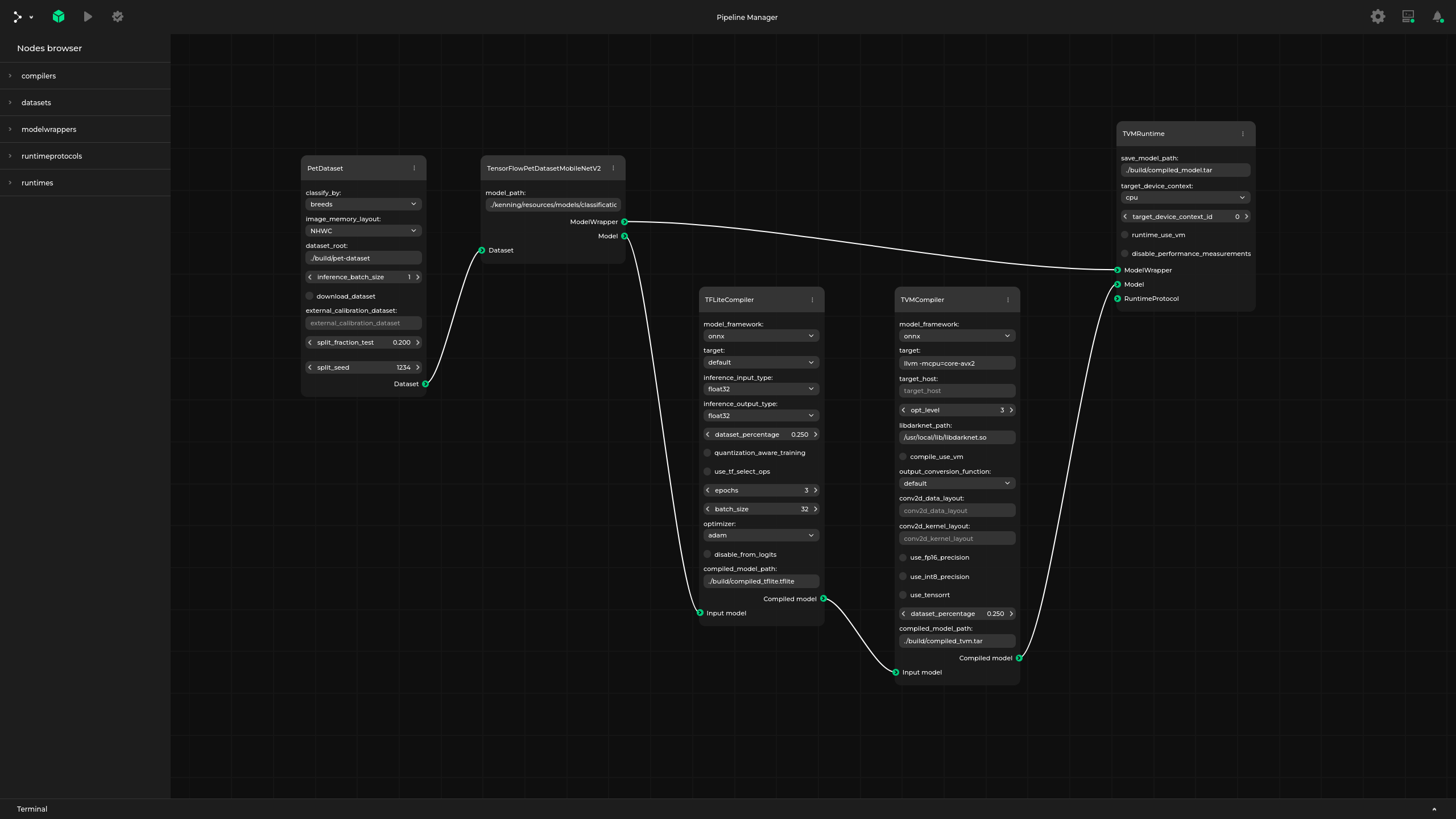
Pipeline Manager is a data-based, application-agnostic web application for creating, visualizing and managing dataflows in various applications. It does not assume any properties of the application it is working with, thanks to which fast integration with various formats is possible.

Languages
Pipeline Manager
Copyright (c) 2022-2026 Antmicro
Pipeline Manager is a data-based, application-agnostic web application for creating, visualizing and managing dataflows in various applications. It does not assume any properties of the application it is working with, thanks to which fast integration with various formats is possible.
Pipeline Manager documentation | Demo application
Pipeline Manager provides functionality for:
- visualizing and editing dataflows
- saving and loading dataflows
- communicating with an external application to delegate advanced validation, execution of the defined graph and conversions to and from native graph formats
Pipeline Manager simplifies the process of developing graph-based graphical interfaces for applications that are modular and have a graph-like nature.
Prerequisites
Pipeline Manager requires npm (at least 10.8.2 version is recommended, along with Node.js starting from 20.10.0), python and pip for installing dependencies, building and (optionally) running - use package manager to install those packages.
The backend of the application has a list of requirements in the pyproject.toml file.
They can be installed using pip:
pip install .
All npm modules necessary for the front end of the application are installed automatically during build.
You can find them in the ./pipeline_manager/frontend/node_modules directory after the application is built.
Building and running
Pipeline Manager can be built in two different ways, as:
- a static HTML application running in a browser without any additional back end server
- a regular web application designed to communicate and cooperate with an external application (like Kenning)
Static HTML application
To build Pipeline Manager as a static HTML application, run the following in the root directory:
./build static-html
To list available flags, run:
./build static-html -h
To run the built application, open ./pipeline_manager/frontend/dist/index.html in a preferred browser.
For example, if the browser of your choice is firefox you should run:
firefox ./pipeline_manager/frontend/dist/index.html
With Pipeline Manager running, you can use a sample specification you can find in the ./examples/sample_specification.json directory to explore visualization and pipeline editing capabilities.
Additionally, you can use ./examples/sample_dataflow.json see how dataflows are stored.
You can load the specification on the webpage using the Load specification option in the main menu.
You can then load the dataflow on the webpage using the Load graph file option in the main menu.
What is more, you can provide the specification and the dataflow as URL arguments:
spec- should contain URL to the specification filegraph- should contain URL to the dataflow filepreview- iftrue, the graph is displayed in preview mode (read only, no HUD)include- to alter the specification from within the URL, you can provide an URL to additional includes with this field
URL example:
firefox "https://antmicro.github.io/kenning-pipeline-manager/_static/pipeline-manager.html?spec=https%3A%2F%2Fraw.githubusercontent.com%2Fantmicro%2Fkenning-pipeline-manager%2Frefs%2Fheads%2Fmain%2Fexamples%2Fsample-specification.json&graph=https%3A%2F%2Fraw.githubusercontent.com%2Fantmicro%2Fkenning-pipeline-manager%2Frefs%2Fheads%2Fmain%2Fexamples%2Fsample-dataflow.json"
The URL above will fetch and use specification and dataflow from the GitHub repository for this project. The URLs need to be encoded.
You can add a JSON with a default specification to the generated HTML by providing the path to your file as the second argument for the ./build script:
./build static-html <path-to-specification-json>
You can also add a default dataflow that will be loaded when the application starts, for example:
./build static-html <path-to-specification> <path-to-dataflow>
To be able to use some additional assets, like icons for nodes, run:
./build --assets-directory <path-to-assets-dir> static-html <path-to-specification> <path-to-dataflow>
To change the title of the editor and page, use the --editor-title flag, for example:
./build --editor-title 'Graph editor' static-html <path-to-specification> <path-to-dataflow>
For details on how to write specifications, see:
- Pipeline Manager documentation
- Specification format
- Dataflow format
- Examples in
examples/directory - in the directory you can find sample specification files (with-specification.jsonsuffix), usually paired with supported dataflow files (with-dataflow.jsonsuffix)
For example, you can run:
./build static-html ./examples/sample-specification.json ./examples/sample-dataflow.json --output-directory ./pipeline-manager-demo
Upon a successful build, run:
firefox ./pipeline-manager-demo/index.html
You should get a graph view similar to the one in the documentation's demo.
Web application
To build Pipeline Manager to work with an external application (like Kenning), run the following in the root directory:
./build server-app
For available flags, check:
./build server-app -h
In this scenario, the back-end server is expected to serve the content for Pipeline Manager. To do that, run the following in the root directory:
./run
By default, the back-end server runs on http://127.0.0.1:5000.
In addition to using the sample specification, you can also connect a third-party application (e.g. Kenning), edit its pipeline, validate it and run it.
Miscellaneous
Development
To run a development server which automatically recompiles a project after detecting any changes, in ./pipeline_manager/frontend directory, for static mode, run:
npm run serve-static
For web application mode, run:
npm run serve
Validation
Pipeline Manager includes a validation tool you can use during specification and dataflow development.
To validate an existing specification, run the following in the root directory:
./validate <specification-path>
To validate an existing specification and one or more dataflows, run the following in the root directory:
./validate <specification-path> <dataflow-path> <dataflow-path> ...
Replace both specification-path and dataflow-path with the actual paths to the JSON configuration file you want to validate.
When running the validation tool for the first time, make sure to include the --instal-dependencies flag.
Cleanup
To remove the installed npm dependencies and the built application, run the following in the root directory:
./cleanup
Using Pipeline Manager as a Python module
To install Pipeline Manager with pip, run:
pip install -U git+https://github.com/antmicro/kenning-pipeline-manager.git
To work directly with the repository, install the module with:
pip install -e .
All Pipeline Manager scripts can then be used from the command-line interface:
pipeline_manager
usage: pipeline_manager {build,run,validate,cleanup}
Relevant projects
Nothing found
Apologies, but no results were found.